

Share :
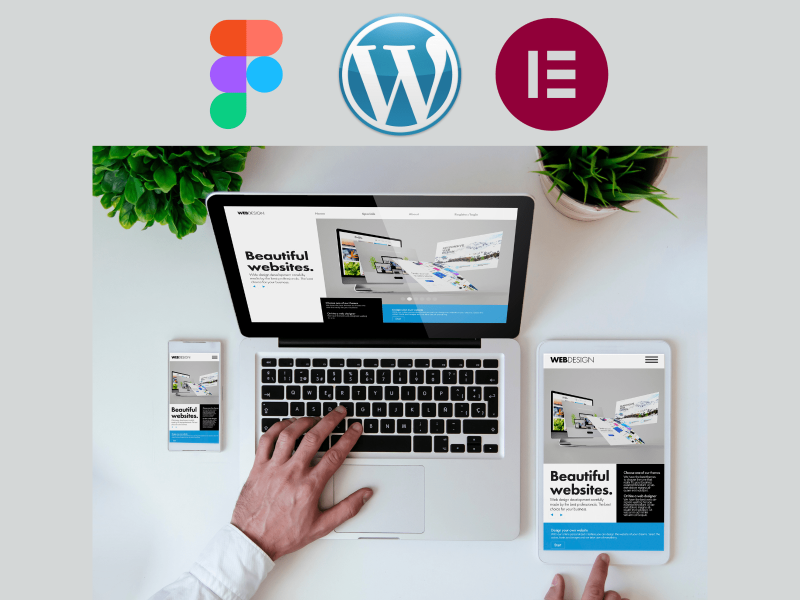
Figma to WordPress Elementor Developer
In the fast-paced digital world, a strong online presence is vital for businesses of all sizes. For many, this starts with a powerful website that combines stunning design with user-friendly functionality. Figma to WordPress Elementor development has emerged as a popular approach for creating visually appealing and highly customizable websites. This article dives into the process, benefits, and reasons to hire a Figma to WordPress Elementor developer to bring your unique designs to life and help your brand stand out
Why Choose Figma to WordPress Elementor?
Combining Figma’s robust design capabilities with WordPress Elementor’s flexibility offers businesses the best of both worlds: a beautifully designed website that is easy to maintain and scalable. Here’s why converting a Figma design to a WordPress Elementor website is a smart choice:
1. Custom Design Flexibility:
Figma allows designers to create unique, detailed designs tailored to your brand. By converting these designs into WordPress via Elementor, you maintain the integrity and quality of the original design.
2. Ease of Use with Elementor:
Elementor is one of the most popular WordPress page builders, known for its drag-and-drop functionality. It enables developers to build complex pages without extensive coding, making site updates and content changes easier for non-technical users.
3. Cost-Effective Development:
Compared to traditional custom development, Figma to Elementor conversion is generally faster and more affordable while achieving equally high-quality results.
4. SEO Benefits:
Elementor has built-in tools to improve your site’s SEO, from mobile responsiveness to optimized loading times. These tools make it easier for your website to rank well on search engines.
5. Seamless Responsiveness:
Figma and Elementor both support responsive design, ensuring that your website looks great on any device, whether it’s a desktop, tablet, or smartphone.
Key Steps in Figma to WordPress Elementor Development
Understanding the Figma to WordPress Elementor development process can help you make informed decisions and set clear expectations. Here’s a breakdown of each step involved:
1. Design Analysis in Figma
The process begins with analyzing the Figma design. A good developer will review every detail, including color schemes, typography, animations, and responsive settings, to ensure the final website replicates the Figma design accurately.
2. Setting Up WordPress and Elementor
Once the Figma design is finalized, the developer installs WordPress and configures Elementor on your hosting platform. Elementor Pro is often recommended, as it offers advanced tools, including custom theme building, animations, and additional widget options.
3. Recreating the Layout in Elementor
In this stage, each page and section from Figma is recreated in Elementor using rows, columns, and widgets. The developer pays careful attention to spacing, alignment, and interactive elements to ensure a pixel-perfect conversion.
4. Adding Functional Elements and Animations
Elementor supports interactive and animated elements like hover effects, parallax scrolling, and sliders. The developer ensures these are implemented in a way that matches your Figma design, creating an engaging experience for visitors.
5. Testing for Responsiveness
Responsive design is crucial, and an experienced developer will test the site across different devices to ensure a seamless experience. Elementor’s responsive editing tools make it easy to customize elements for mobile, tablet, and desktop views.
6. SEO Optimization
An SEO-friendly website is essential for ranking well in search engines. The developer optimizes images, sets meta tags, adds alt text, and follows best SEO practices to ensure your website is Google-ready from the moment it goes live.
7. Quality Assurance and Launch
Before launch, the site goes through thorough testing to identify any potential bugs, layout issues, or functionality concerns. Once everything is finalized, your Figma-to-Elementor website is launched, ready to attract and engage visitors.
Why Hire a Figma to WordPress Elementor Developer?
Hiring a specialized Figma to WordPress Elementor developer offers several advantages:
1. Expertise in Design-to-Web Conversion:
A professional developer has the experience needed to translate design details accurately from Figma to Elementor without compromising quality.
2. Faster Turnaround:
A developer who specializes in Figma to Elementor conversions can complete the project quickly, enabling you to launch your website faster and start driving results.
3. SEO and Speed Optimization Knowledge:
Experienced developers know how to optimize your website for SEO and performance, two critical factors for Google rankings and user experience.
4. Scalability and Ongoing Support:
Your developer can create a website with room for growth, ensuring your site is easy to update as your business evolves. They also offer post-launch support for any required adjustments.
Here is Some of My Projects
For more projects Click here
What to Look for in a Figma to WordPress Elementor Developer
Choosing the right developer for your project can make a significant difference in the final outcome. Here’s what to look for when hiring a Figma to WordPress Elementor developer:
- Strong Portfolio: Look for developers with a solid portfolio that showcases their ability to convert Figma designs into functional, aesthetically pleasing Elementor websites.
- Client Testimonials: Check for client reviews and testimonials that speak to the developer’s reliability, communication, and project quality.
- SEO and Speed Optimization Skills: Your website’s SEO and loading speed impact its performance and ranking potential. A developer with optimization skills can help your site achieve better results on Google.
- Clear Communication: Effective communication is essential, especially when working on intricate design details. Look for a developer who is responsive and clear in their communication.
- Flexible Project Terms: A reliable developer will offer flexible terms for revisions and post-launch support, ensuring your website meets your needs now and in the future.
Why Work with a Figma to WordPress Elementor Developer in Pakistan?
Pakistan is home to a growing pool of talented web developers, offering high-quality services at competitive rates. Here are some reasons why hiring a Figma to WordPress Elementor developer in Pakistan can be a smart choice for your project:
- Competitive Pricing: Developers in Pakistan provide cost-effective solutions, offering high-quality work at rates lower than many international markets.
- Skilled Talent Pool: Pakistani developers are highly skilled in modern design tools and platforms, including Figma and Elementor, ensuring they’re equipped to handle complex design and development tasks.
- Timely Project Delivery: Many developers in Pakistan are known for their commitment to deadlines and project timelines, ensuring that your website is completed on schedule.
- Excellent Communication Skills: With a strong grasp of English, developers in Pakistan ensure effective communication and seamless project collaboration.
Ready to Turn Your Figma Design into a WordPress Elementor Website?
If you’re looking for a professional Figma to WordPress Elementor developer, I’m here to help. With extensive experience in web design and development, I can bring your vision to life with a website that combines beautiful design with robust functionality. My expertise ensures a smooth and efficient conversion process, with attention to detail at every step.
Get in Touch Today! Whether you’re starting from scratch or looking to revamp your existing site, contact me for a free consultation and let’s discuss how we can turn your Figma designs into a fully optimized, engaging WordPress Elementor website that’s ready to attract customers and grow your business.

Clinic Website Developer Islamabad
February 18, 2026
Figma to WordPress Elementor Developer
November 13, 2024

Custom WordPress Developer in Pakistan
June 7, 2024